Member Academy
Learn Reactor, step by step.
Thirteen step-by-step guides for everything you need to work with Reactor: from signing up, through market research and bots, connecting Claude, Telegram and your trading account, to orders, Agents, approvals, risk, options, TradersPost and a Lucid prop account.
Each guide is available as a page on the site and as a downloadable PDF.
User guides
Twelve guides, in the recommended order.
First you sign in, research markets and build a bot, with no trading account. Then you connect Claude, Telegram and your trading account, and learn to trade, automate and manage risk.
01 — Getting started
Guide 1
Updated Nov 23 · PDF
Sign-up, login and system tour
Sign up, verify your email, Get started and Help, and a tour of every screen.
Guide 2
6 pages · PDF
Market research with Reactor AI
Ask in plain language — and Reactor scans 200 markets in seconds.
Guide 3
10 pages · PDF
Range bot for futures
From a verified range map — to a trading plan in your own style and risk.
02 — Connections
Guide 4
Updated Nov 23 · PDF
Connecting Reactor to Claude via MCP
Connect with no API key, choose which accounts Claude can see, and add the Reactor Skill.
Guide 5
Updated Nov 23 · PDF
Connecting a Telegram bot
A private bot connected to Reactor: questions from your phone, alerts and approval requests, and a choice of what goes to Telegram.
Guide 6
Updated Nov 23 · PDF
Connecting a trading account
Connect a Bybit, MEXC, Alpaca or tastytrade account, check the first sync, and replace a key safely.
03 — Trading and automation
Guide 7
Updated Nov 23 · PDF
Balances, positions and orders
See your balance and positions, place an order with Take Profit and Stop Loss, and close a position from the screen.
Guide 8
Updated Nov 23 · PDF
Agents and schedules
Create an Agent from a prompt, set when it runs and on which accounts, and review every run in Preview.
Guide 9
Updated Nov 23 · PDF
Approvals
Where you approve every order: Chat previews, the order form, Agents, bots, the inbox and options.
Guide 10
Updated Nov 23 · PDF
Risk, stops and Profit Guard
Size positions by risk, set stops and targets, let Profit Guard manage stops, and take over by hand.
Guide 11
Updated Nov 24 · PDF
Options with tastytrade
See your options, search the chain, preview an order and approve it yourself.
Guide 12
Updated Nov 27 · PDF
Reactor and TradersPost for prop traders
Your strategy runs in Reactor as an Agent. TradersPost executes at your broker. Test on Paper, with a Telegram confirmation after every action.
Guide 13
Updated Nov 28 · PDF
Reactor and Lucid: a prop account through TradersPost
Two Agents trade a Lucid evaluation through TradersPost: one opens trades, the other closes them. A shadow ledger tracks the position Reactor can't see.
04 — Videos
Want to see Reactor in action? The full demo, the introduction and short feature videos. Each video opens on YouTube.

Full demo · 11 min
AI trading without the charades
The whole system in one video: research, trading plans, agents, webhooks and safeguards.
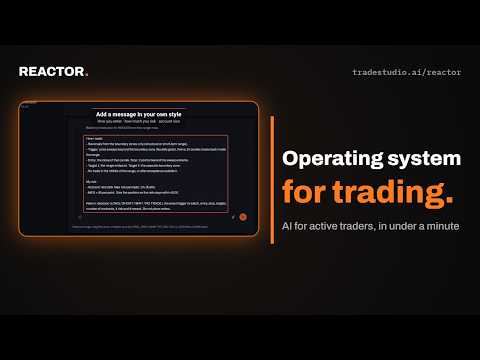
Introduction
Meet Reactor
What Reactor is, what it does for you, and where your money stays.

Ask Reactor
The assistant that grows with you
A guided tour of the built-in assistant that answers questions about the system and your screens.

Demo
From market scan to order, in one conversation
A scan, a trading plan and an order sent with your approval, all in the same chat.

Agents
From an idea to a strategy, and to an agent
Describe an idea in plain words, and Reactor turns it into a strategy and an automated agent.

Agents
From a strategy on paper to a running prompt
An existing strategy becomes a working agent prompt, in about two hours.

Webhooks
Got a strategy? Give it a brain
Your TradingView signal reaches Reactor, which checks the market before anything is sent.

Research
Why is the stock moving?
Reactor searches the news, explains the move and brings the sources.

Comparison
General AI chat vs Reactor
Same prompt, two answers. See what changes when the AI works with real market data.