Guide 3 · Getting started
Range bot for futures
In this guide Reactor identifies a short range and a medium range on the /MESZ6 contract (Micro S&P 500) and validates the data. Then you turn the check into a bot that runs every hour, and with one follow-up message you get a trading plan in your own style and risk. The same process works on any asset, in any market.
Step 1: Open prompt #12 in the chat
In AI Chat, click #12 Multi Range Mapper – MESZ6. The prompt loads into the message box and isn't sent yet.
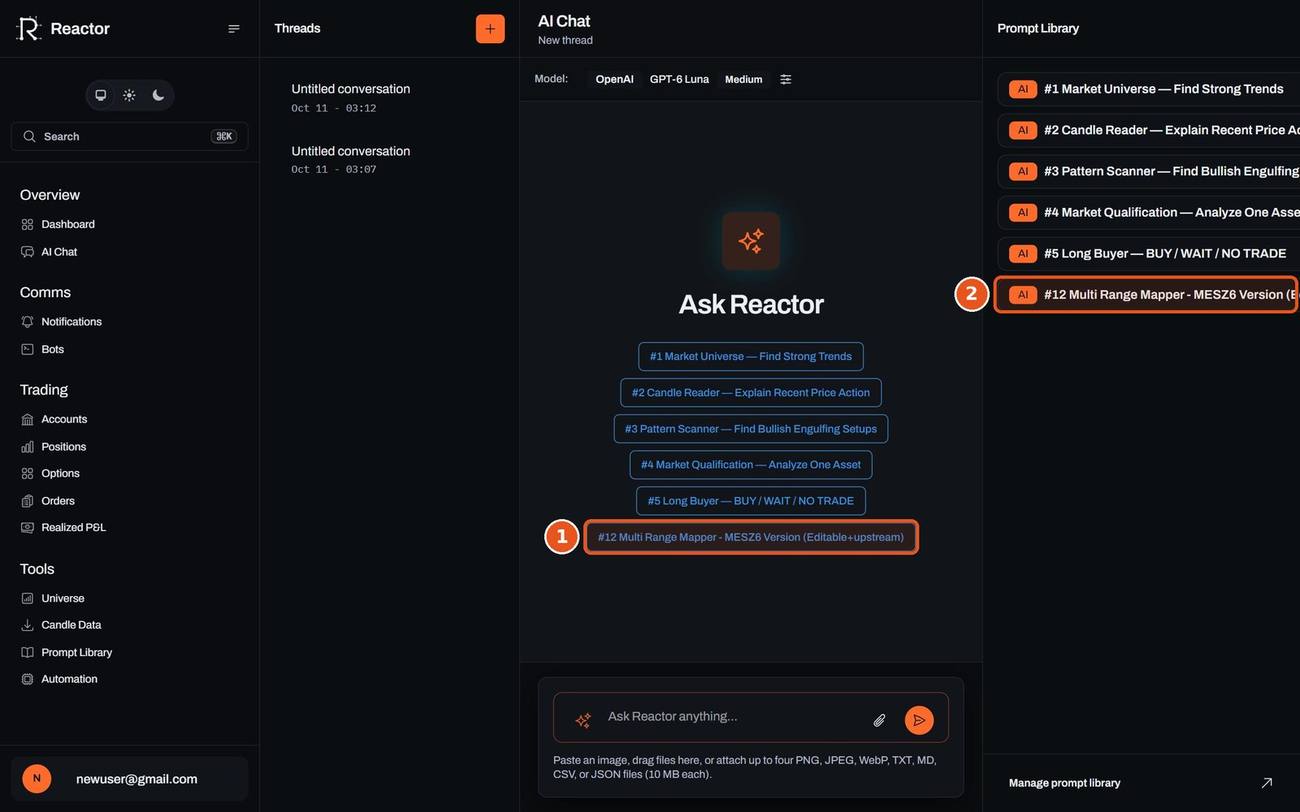
1
#12 Multi Range Mapper – the shortcut in the middle of the screen.
2
The same prompt also appears in the Prompt Library column on the right.
Step 2: Choose a contract and send
The prompt has one section to edit: EDIT ONLY THIS SECTION. Every line in it can be changed – SYMBOL, VENUE, MARKET and PRIMARY_TIMEFRAME – so the same range model works on any asset: /MNQZ6 in futures, BTCUSDT on Bybit or a stock on Alpaca. The rest of the prompt stays as it is.
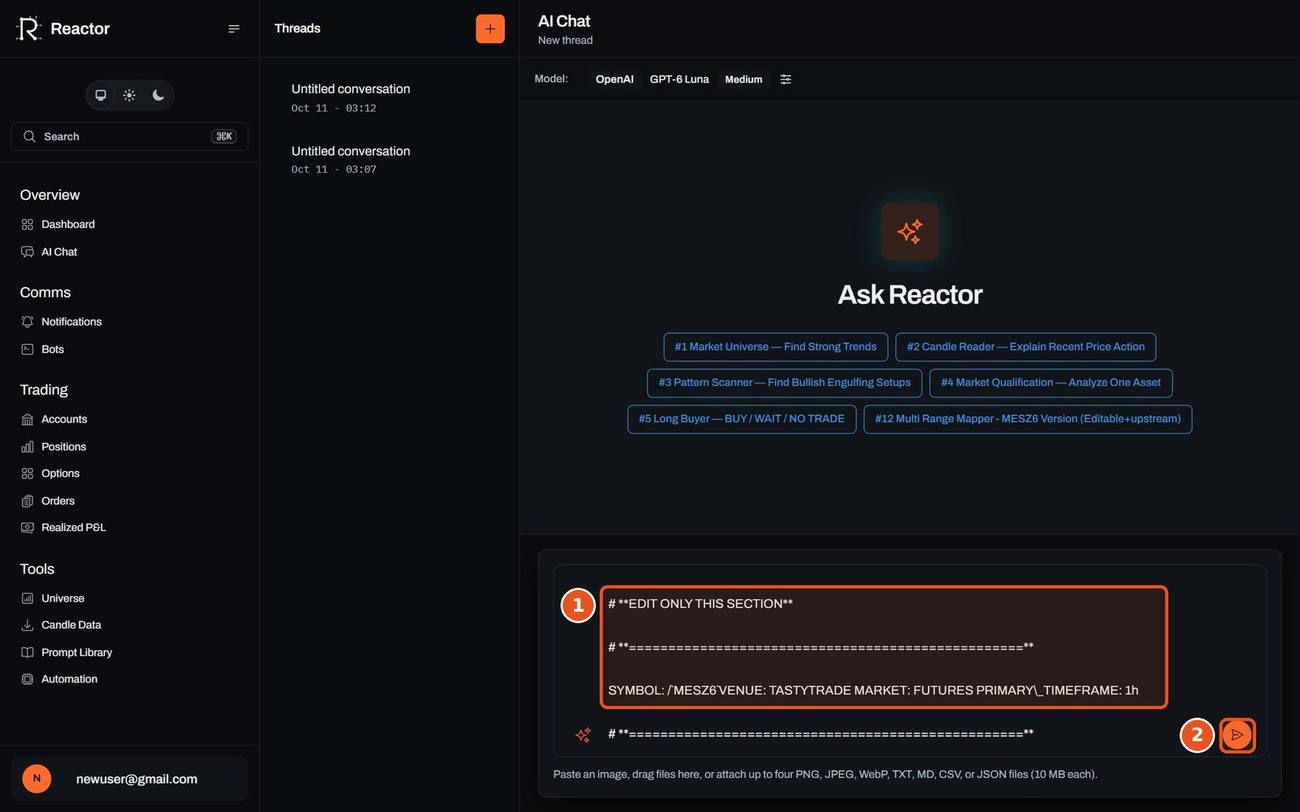
1
EDIT ONLY THIS SECTION – symbol, venue, market type and timeframe. Here: /MESZ6 · TASTYTRADE · FUTURES · 1h.
2
Send – send it. The analysis takes about a minute.
Step 3: Read the range map
Reactor returns two ranges on 1-hour candles: a medium range over the last 30–40 hours and a short range of up to 15 hours. The boundaries are defined as zones, not a single line. The screenshots are from a live trading hour.
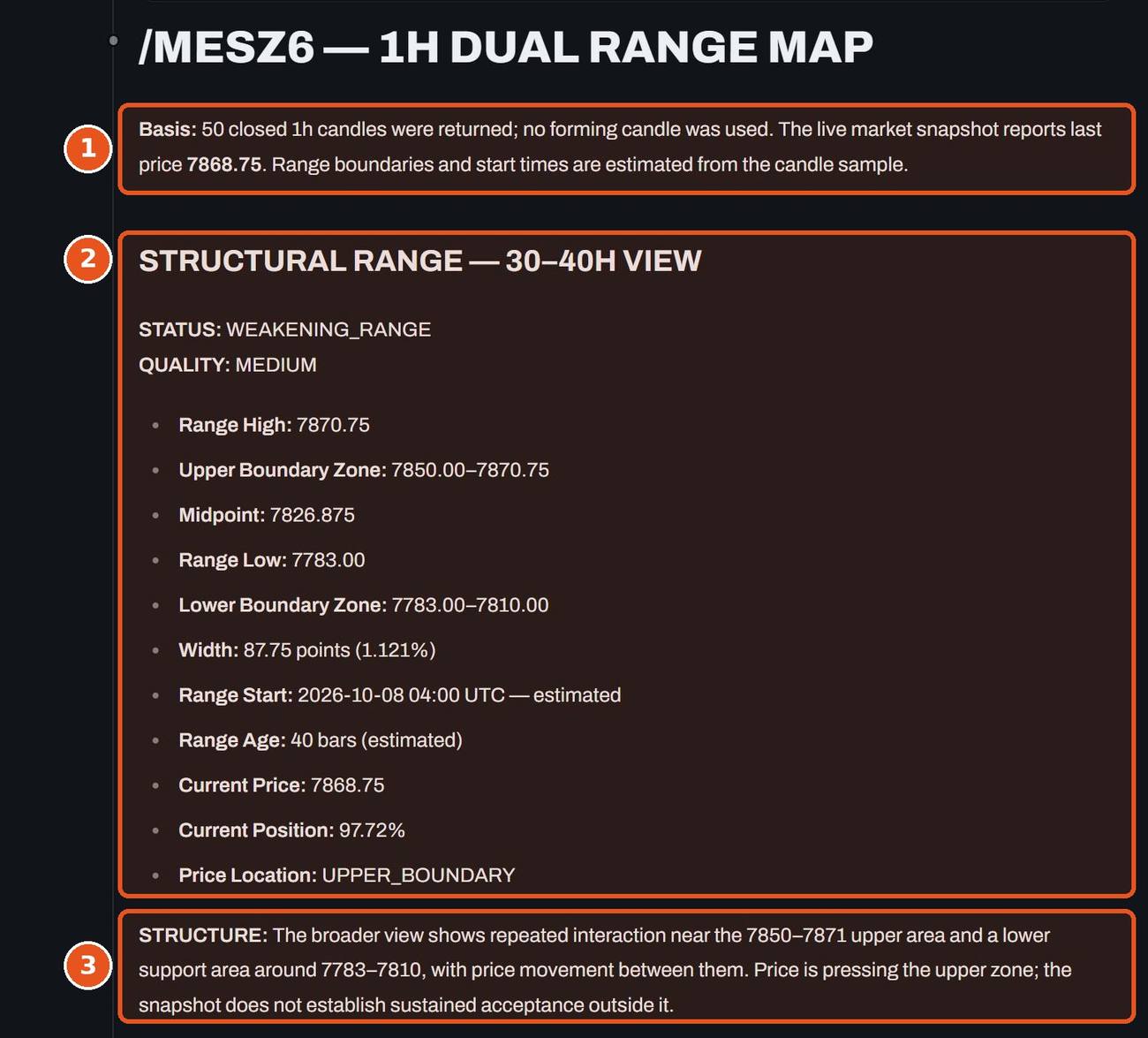
1
Basis – data validation: 50 closed 1-hour candles, without the candle still forming, and a separate live price (7868.75).
2
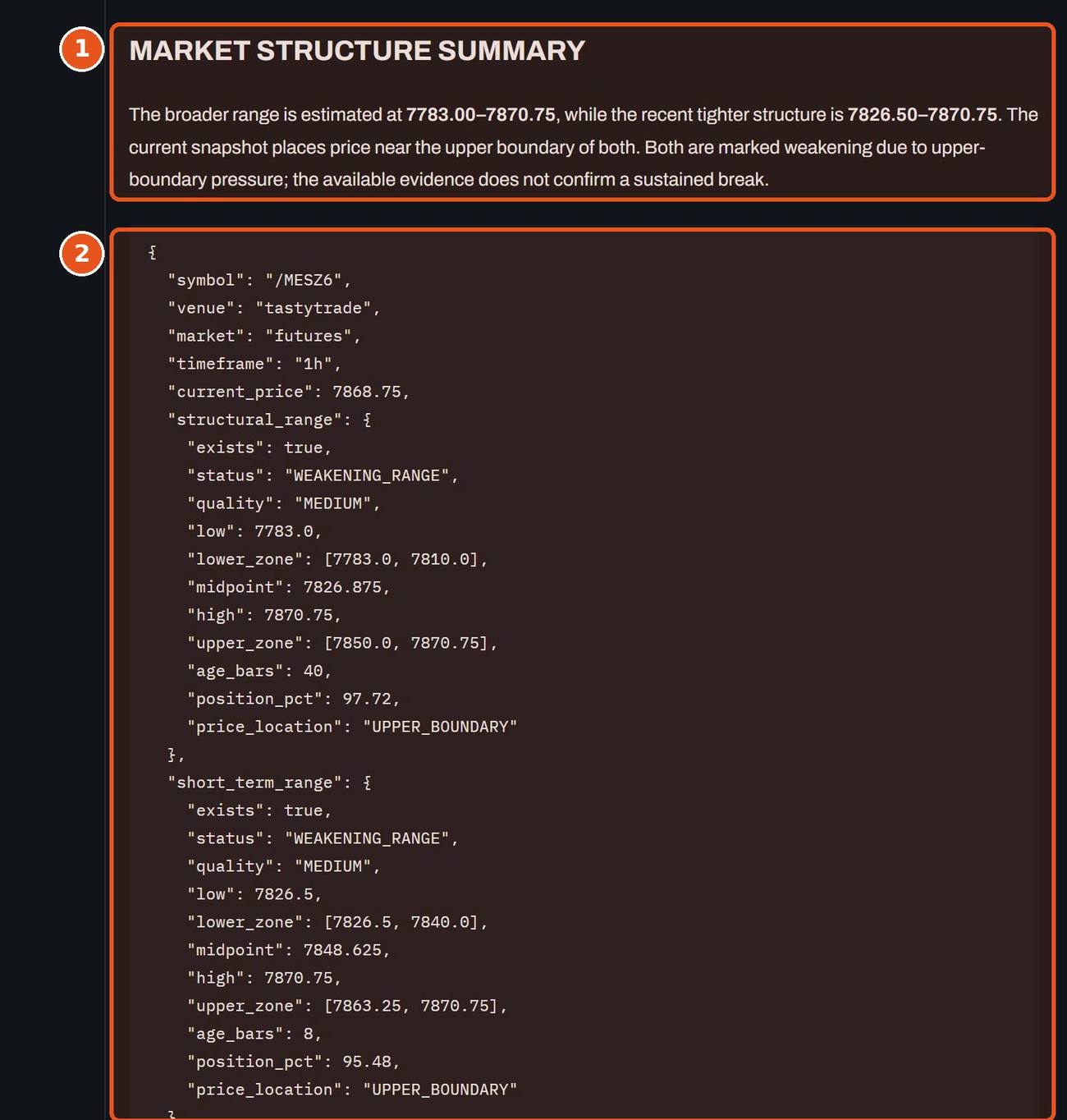
STRUCTURAL RANGE – the medium range: 7783.00–7870.75. Status, quality, boundary zones, midpoint, width and where price sits (97.72% = pressed against the top).
3
STRUCTURE – why these are the boundaries.
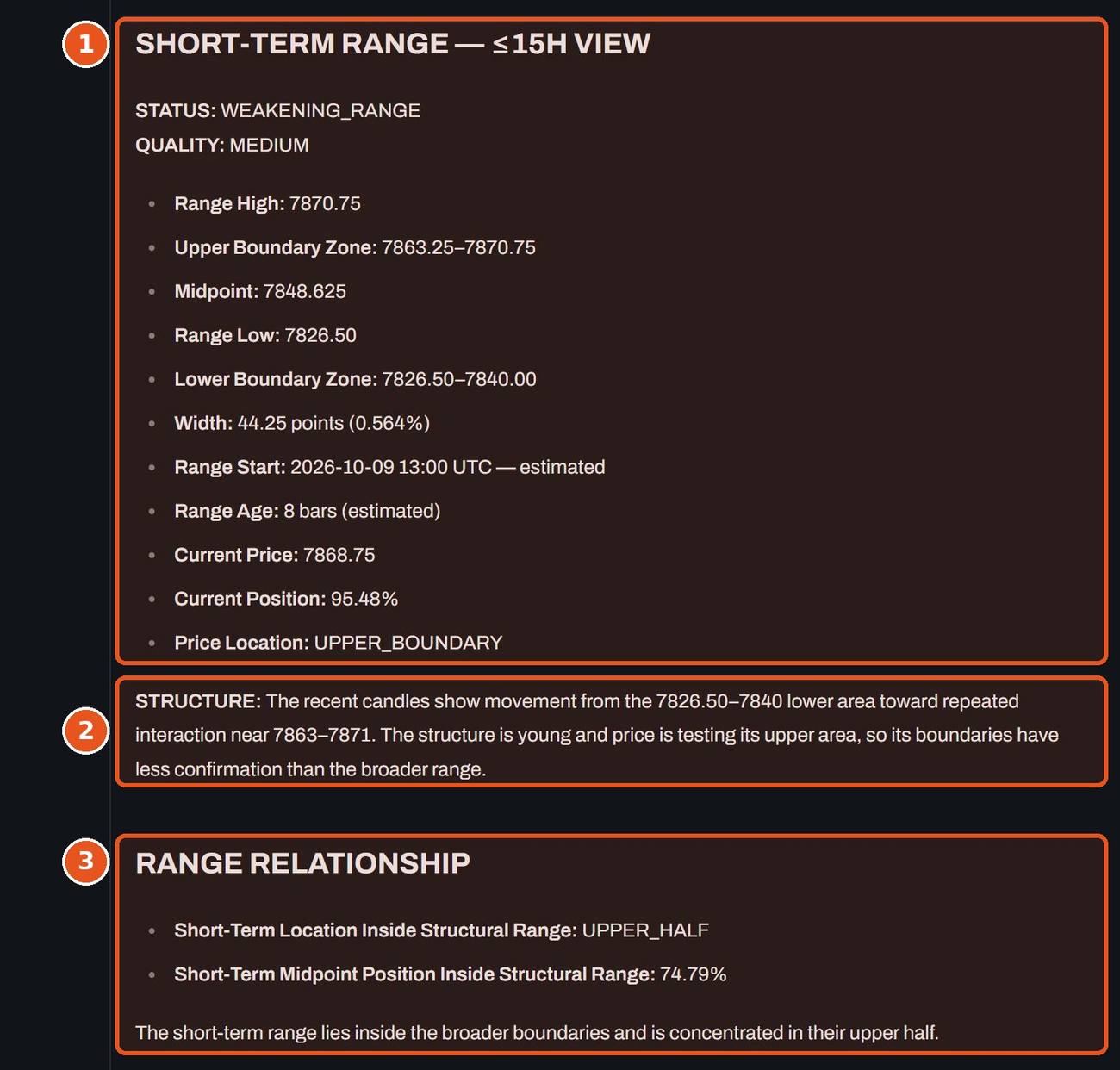
1
SHORT-TERM RANGE – the short range: 7826.50–7870.75, a young range of 8 candles.
2
STRUCTURE – the explanation: the structure is young, so its boundaries are less confirmed.
3
RANGE RELATIONSHIP – the short range sits in the upper half of the medium range (74.79%).
1
MARKET STRUCTURE SUMMARY – price is pressing on the upper boundary of both ranges, with no confirmed breakout.
2
JSON – the same data in a format another bot can read. This is the basis for the follow-up message (step 5).
Step 4: Turn the check into a bot that runs every hour
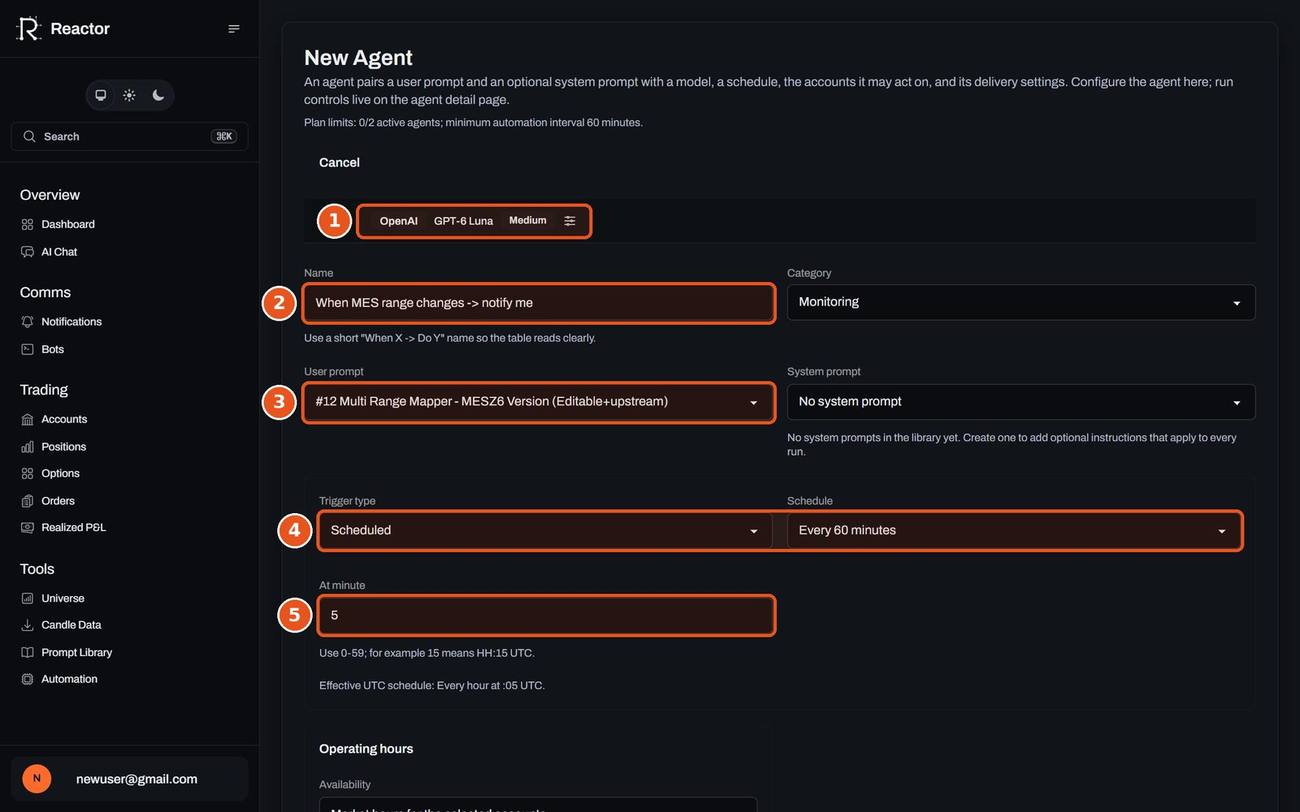
In Automation, click New agent. The bot runs the same prompt on a schedule, without you opening the chat.
1
Model – GPT-6 Luna on Medium is recommended, as in the chat.
2
Name – a name in the style "When X -> Do Y", for example When MES range changes -> notify me.
3
User prompt – choose #12 Multi Range Mapper.
4
Trigger type / Schedule – Scheduled, Every 60 minutes.
5
At minute – the minute within the hour. 5 = run at :05, after the hourly candle closes.
1
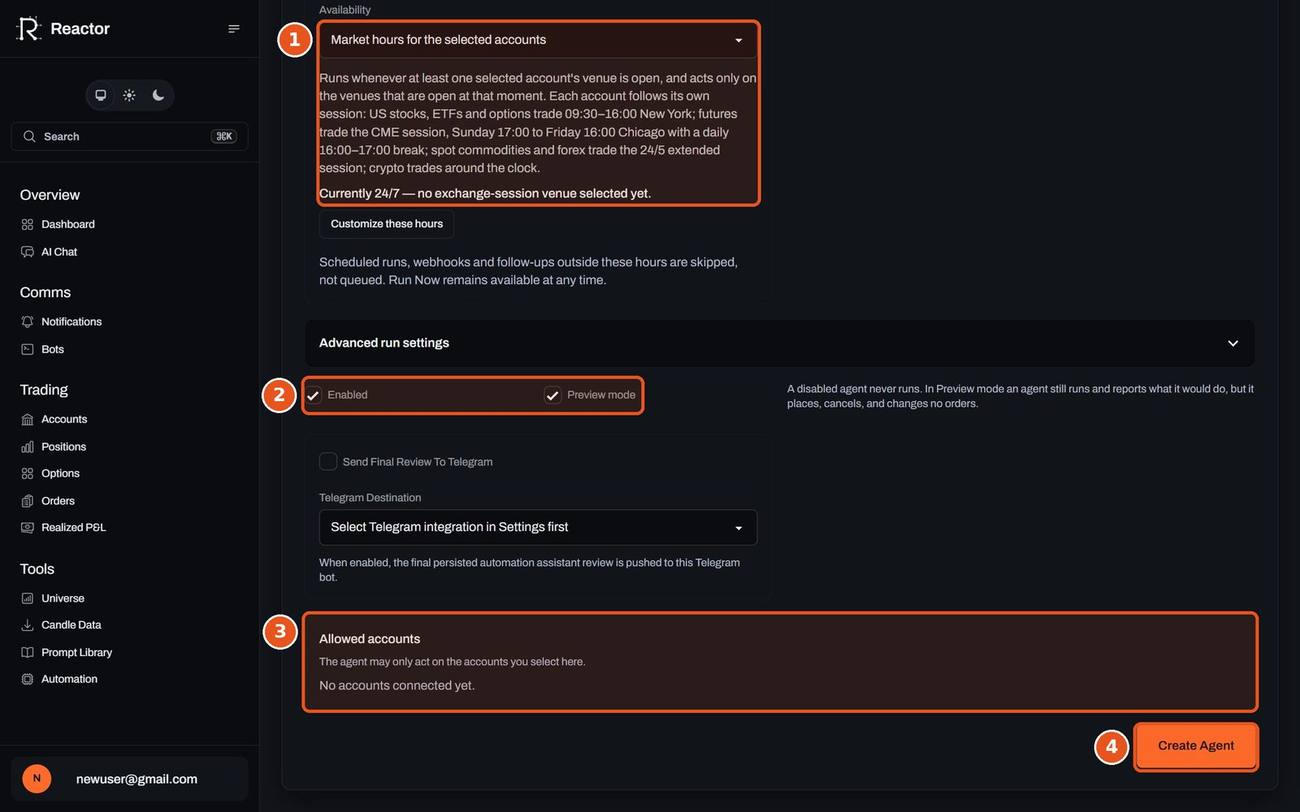
Availability – Market hours: when you connect a futures account, the bot runs only during CME trading hours.
2
Enabled / Preview mode – in Preview the bot runs and reports, but doesn't touch orders.
3
Allowed accounts – which accounts it may see. A range check doesn't need an account.
4
Create Agent – save.
1
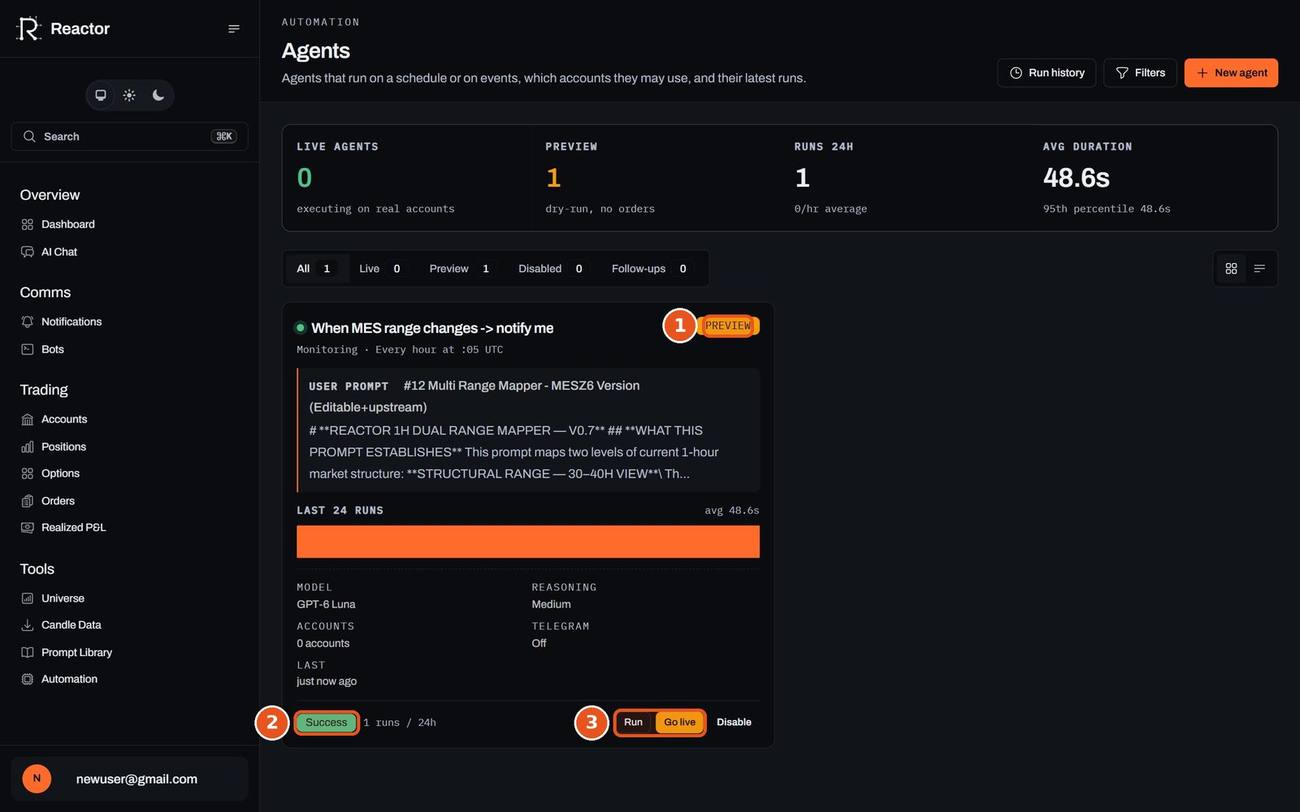
PREVIEW – the bot is active in trial mode, every hour at :05.
2
Success – the result of the last run. Clicking opens the full answer.
3
Run / Go live – Run runs it now. Go live takes it out of Preview, only when you want it to act on an account.
Step 5: From a range to a trading plan in your own style
The analysis prompt doesn't give recommendations. To get a trading plan, send a follow-up message in the same conversation that describes how you trade and how much you're willing to risk. In the example: a reversal from the range boundaries after a liquidity sweep, in a $10,000 account risking 1% per trade.
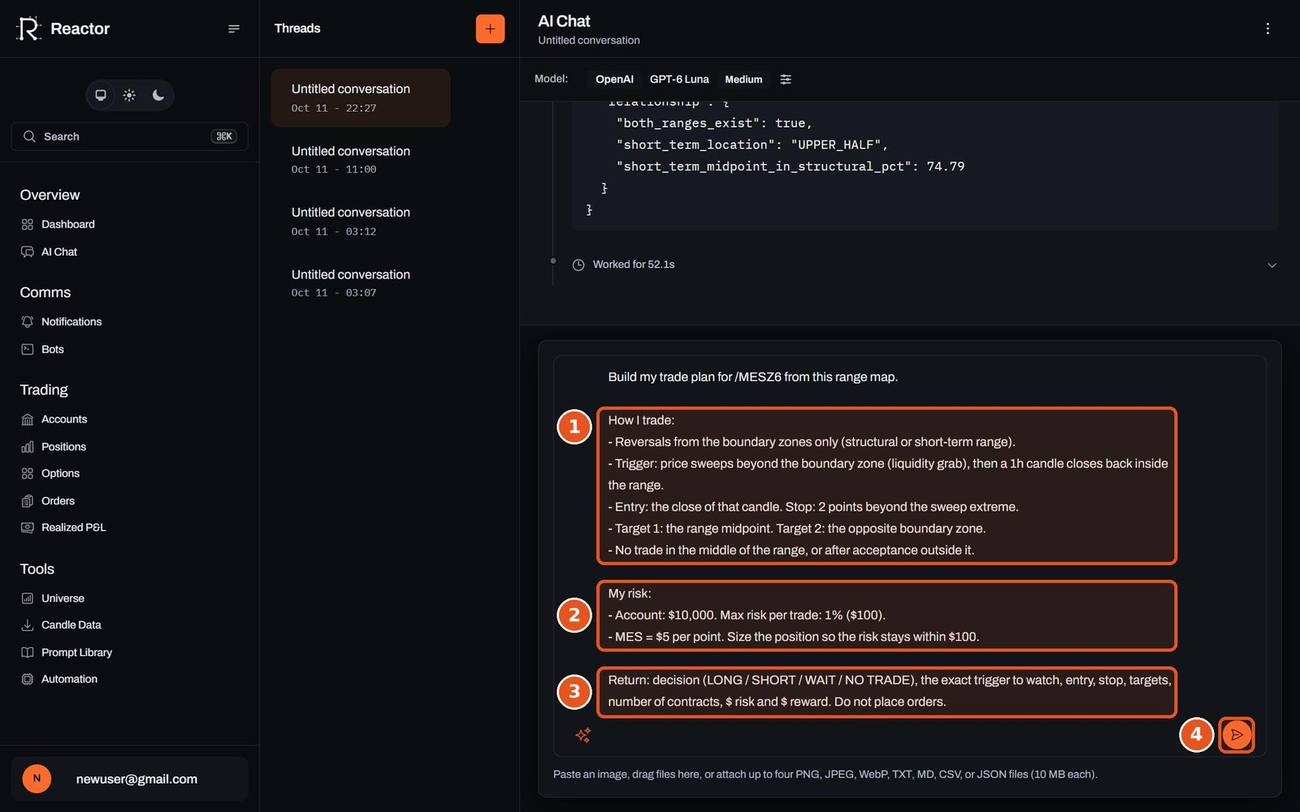
1
How I trade – the style: a reversal from the boundary zones, a trigger (a sweep and a 1-hour candle that closes back inside), entry, stop, two targets, and when not to trade.
2
My risk – account size, percent risk per trade and the contract's point value (MES = $5).
3
Return – what to return: decision, trigger, entry, stop, targets and number of contracts, and Do not place orders.
4
Send – send it.
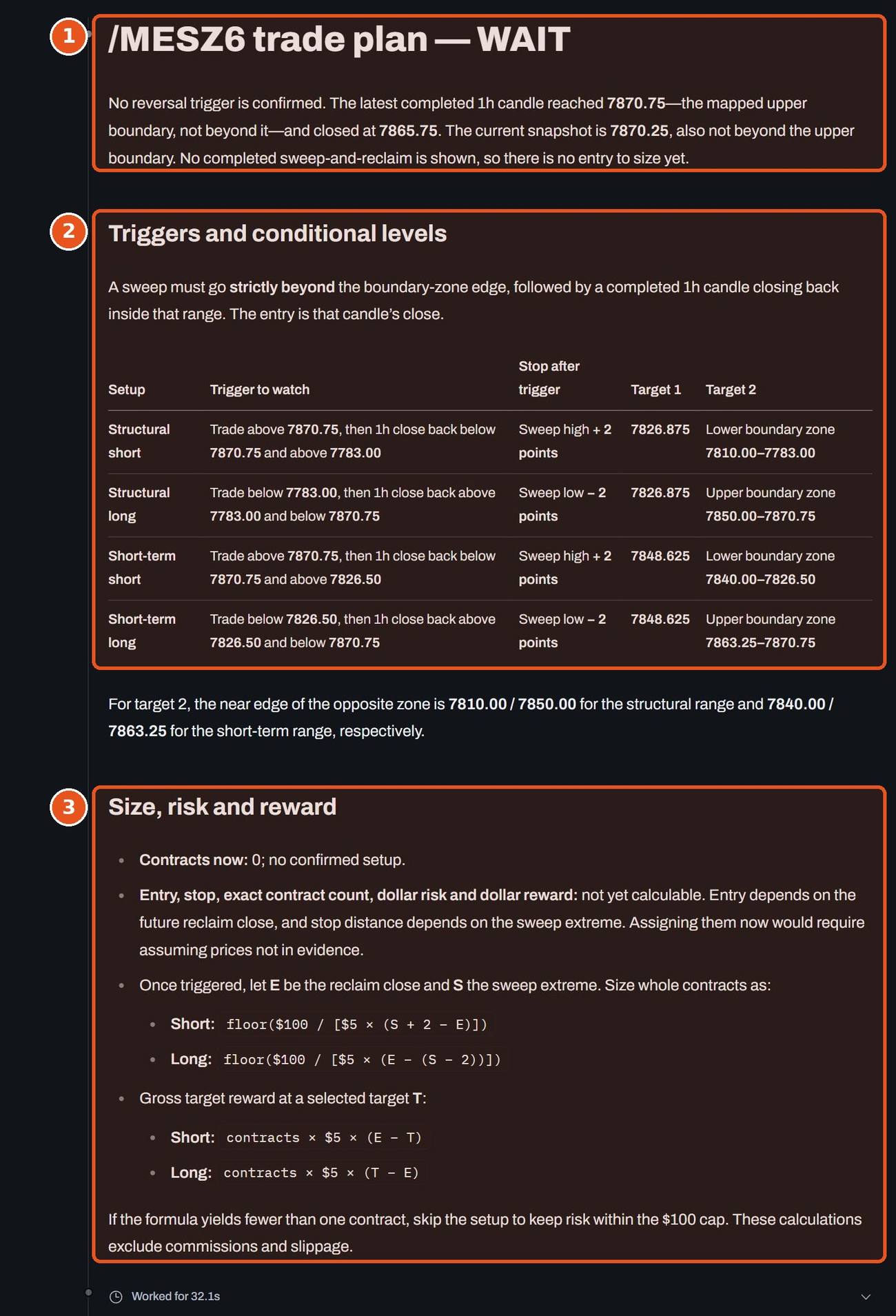
1
Decision: WAIT – price reached the upper boundary but didn't go through it, so there's no sweep and no trade yet.
2
Triggers and conditional levels – four ready scenarios: short and long for each range, with an exact trigger, a stop and two targets.
3
Size, risk and reward – the position size formula: how many contracts fit in $100 of risk once the trigger plays out. No order was sent.
The style in the example is just one of many. You can ask for an entry from a specific zone, wait for a liquidity pattern or a candle pattern, or for a change of direction from a specific zone – and fit the risk to your account size and the position size to it. The process stays the same, and the decision and responsibility stay yours.
Next guide
Guide 4: Connecting Reactor to Claude via MCP
Ask Claude — and it works with your Reactor account.